
Home › Forums › Arnold WordPress Theme › Mobile menu
- This topic has 37 replies, 3 voices, and was last updated 4 years, 6 months ago by
SeaTheme.
-
AuthorPosts
-
January 1, 2022 at 9:23 am #26552
Hi! I would like to make some changes on mobile and I need your help.
01) How can I change the background color of the menu?
02) How to make the line spacing bigger?
03) Is it possible to make another logo while the menu is open?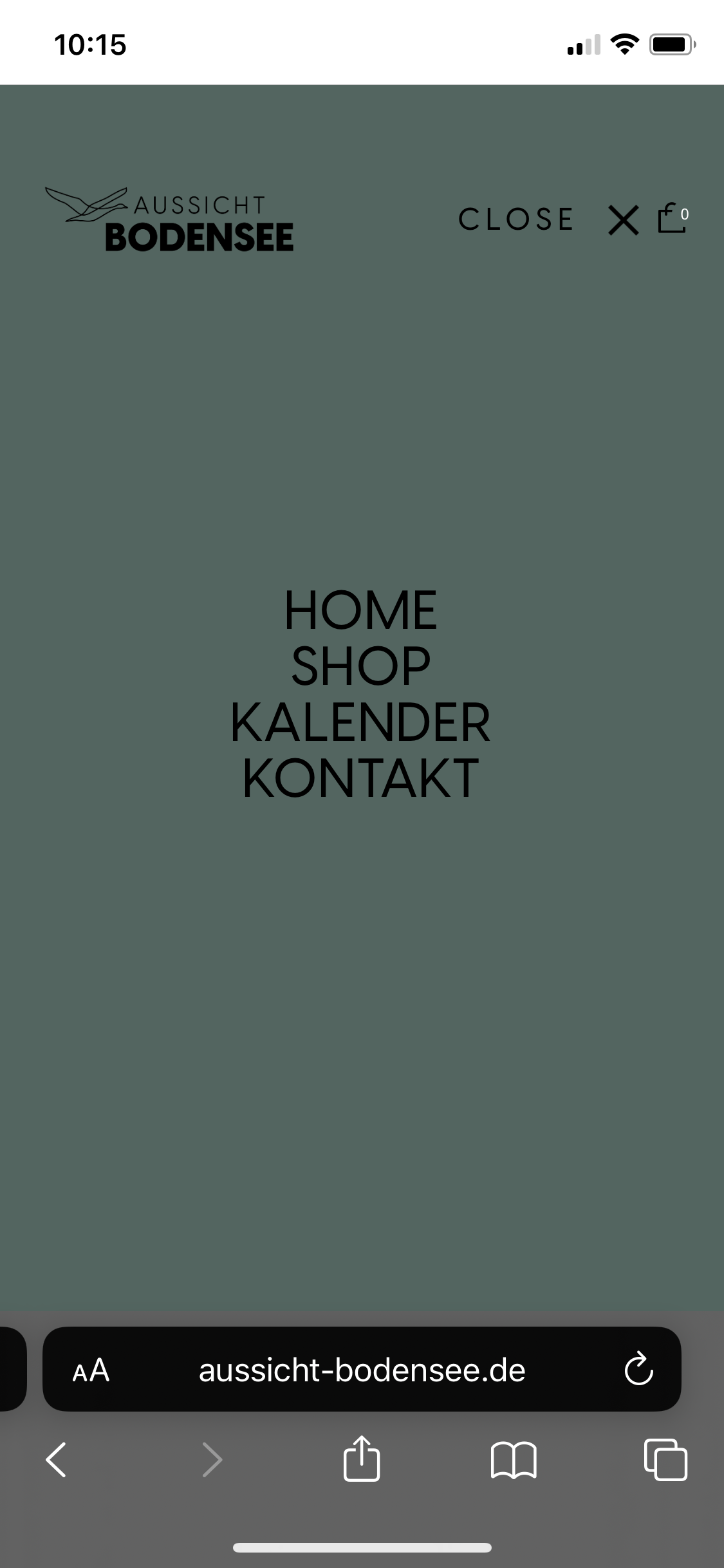 January 1, 2022 at 9:24 am #26553
04) How to change “close” to german language -> “schlißen” ?
January 1, 2022 at 11:41 am #26554Hi,
1) Arnold Theme > Theme Options > Color, set color for “Expanded Panel Background Color”
2) BM Font management > Fonts Assignment, Menu tab, edit Line Height for “Menu on Expanded Panel”
3) Arnold Theme > Theme Options > Color, Image Logo(Expanded Panel is shown) Color
4) Arnold Theme > Theme Options > Header, Text for Menu-Close Iconfind more on Doc: https://doc.seatheme.net/theme/arnold/global-settings-arnold/
https://doc.seatheme.net/theme/arnold/font-arnold/
January 2, 2022 at 4:31 pm #26594Thanks!
3) Where can I upload/define the alternative logo file?
5) And how can I change this colors (circle and number)?
 January 3, 2022 at 5:08 am #26595
Hi,
3) Arnold Theme > Theme Options > General Settings, “Alternative Image Logo”
please make sure disable ‘“Enable Plain Text Logo”.’5) It is possible by custom CSS(“Appearance > Customize: Additional CSS”), like:
.ux-bag .woocomerce-cart-number {
    color: #fff;
    background-color: #C2AB6B;
}
January 9, 2022 at 9:00 pm #26757Thank you so much!
January 9, 2022 at 9:02 pm #26758Oh i forgot to say, that I only would like to change the circle color on mobile while the menu is open! How can I do that?
January 10, 2022 at 1:54 am #26764It is possible by custom CSS:
.show_mobile_menu .ux-bag .woocomerce-cart-number {
    background-color: #C2AB6B;
}
Regards!
SeaTheme – FAQs – WordPress Customization – FacebookJanuary 13, 2022 at 8:37 pm #26790Thank you!!
March 4, 2022 at 2:34 pm #27105Does not show a Vertical Phone view?
Phone horizontal view on chrome. There is no menu on right???. If you select the back button, then you get a menu at top of the image.March 4, 2022 at 2:52 pm #27107Hi Tkcreator,
Welcome to SeaTheme forum.Please setup mobile menu on theme option:

If it is not what you want, could you give me more tips?
Thanks!
Regards!
SeaTheme – FAQs – WordPress Customization – FacebookMarch 4, 2022 at 3:53 pm #27108but Does not Show a Vertical Phone view
March 5, 2022 at 2:53 am #27109Did you mean the menu icon should be displayed on mobile horizontal view?
Regards!
SeaTheme – FAQs – WordPress Customization – FacebookMarch 5, 2022 at 1:04 pm #27110yes
March 5, 2022 at 8:01 pm #27111hello please guide me about horizontal mobile view header there is no menu also how can i reduce the menu and logo sizes in horizontal view?
March 5, 2022 at 8:57 pm #27112https://lh3.googleusercontent.com/KQj4O3NyctqjI4qdoHRUhp40IJBoSTeuB0tSL6Gr9QGQc_i9a7lYdEUScapJ2nGI2lq5Iw=s170
https://lh3.googleusercontent.com/1stT4ER4Ei-O8Dp70yLUwPAbGwPjpv9dAsdlt1myLrsBWpOLgIBZHwSK_fE4gBIjvAOw=s170
https://lh3.googleusercontent.com/tLSbY8vHN-yTg4uXrkDEcLbKBVjF17IW83kl5qkVu9mT8G4LEiJ6ZMPtHGA0rGTcOJnumA=s170March 5, 2022 at 8:57 pm #27113check links please
March 6, 2022 at 9:22 am #27117Hi, thanks
Please paste the custom CSS code to “Appearance > Customize: Additional CSS” :
@media (max-width: 991.98px) {
 .responsive-ux .navi-header,.responsive-ux header .hidden-mobile {
    display: none; }
.responsive-ux.show-menu-item-mobile .navi-trigger-out,.navi-show:not(.ux-mobile) .navi-trigger-out {
  display:block!important; }
 .responsive-ux .logo-image { height: var(--logo-height-mobile, 50px); }
}
@media (min-width: 992px) {
  .responsive-ux.show-menu-item-mobile .navi-header, .responsive-ux .menu #navi_wrap ul:not(.sub-menu) {
    display: none; }
}
If it does not work, please leave your website URL, thanks!
Regards!
SeaTheme – FAQs – WordPress Customization – FacebookMarch 7, 2022 at 2:28 pm #27127its work but now when i click on menu on horizontal mobile view its not show any menu
website link please fix that https://www.archipelagopearls.com/March 7, 2022 at 3:16 pm #27133please check this link https://ibb.co/0CKDSWf
when i click on the menu there is no menu
March 7, 2022 at 3:24 pm #27135Hi,
Please paste the custom CSS code to “Appearance > Customize: Additional CSS” :
@media (max-width: 991.98px) {
 .show_mobile_menu.navi-show-icon .menu-panel {
    z-index: 999;
    position: relative;
    opacity: 1;
    animation: transY_100to0 .5s cubic-bezier(0, 0.99, 0.91, 0.99) both;
    will-change: transform;
 }
 .navi-wrap {
    padding-top: 50px;
 }
 .header-main.container-fluid, #footer .container-fluid {
    padding-left: 60px!important;
    padding-right: 60px!important;
 }
}
Regards!
SeaTheme – FAQs – WordPress Customization – FacebookMarch 8, 2022 at 11:58 pm #27143Horizontal view on phone. Note at bottom of screen there is part of a photo. Please make all plain background.please fix this
https://imgkub.com/image/jkjG6March 9, 2022 at 12:10 am #27148reduce size of “Archipelago” by 30% on this horizontal phone view only. Vertical phone view and Desktop view is fine already.
https://imgkub.com/image/jkjG6https://imgkub.com/image/jkAOQMarch 9, 2022 at 4:37 am #27149Hi,
Please paste the custom CSS code to “Appearance > Customize: Additional CSS” :
@media (max-width: 991.98px) {
  .show_mobile_menu.show-menu-icon-mobile:not(.navi-top-menu):not(.navi-side-menu) #wrap, .show_popup #content, .show_popup .page-loading ~ #wrap-outer #content {
    transform: var(--wrap-openmenu-transform, initial);
 }
 .responsive-ux.show_mobile_menu:not(.navi-side-menu):not(.navi-top-menu) #header {
    background-color: var(--bgcolor-expanded-panel, #fff);
 }
 body:not(.page_from_top).responsive-ux #wrap {
    top: var(--header-height-mobile, 80px);
 }
 .responsive-ux #wrap {
    z-index: 998;
 }
 .show_mobile_menu.menu-icon-horizon-menu .wrap-all {
    overflow: hidden;
}
}
I don’t know where is wrong for your 2nd question because the 2nd image URL is broken. Please double check it and re-leave a image URL. Please leave the issued web page URL also if possible. Thanks
Regards!
SeaTheme – FAQs – WordPress Customization – FacebookMarch 9, 2022 at 1:10 pm #27156do i need to remove the last CSS and then need to add this one?
March 9, 2022 at 1:17 pm #27157https://imgkub.com/image/AjjeB
reduce size of “Archipelago” by 30% on this horizontal phone view only. The vertical phone view and Desktop view is fine already. Thanksmy website link
https://www.archipelagopearls.com/March 9, 2022 at 1:26 pm #27159Hi,
do i need to remove the last CSS and then need to add this one?
No, DO NOT remove the last CSS.
Just ADD the new CSS codes.reduce size of “Archipelago” by 30% on this horizontal phone view only.
Please ADD the custom CSS code to “Appearance > Customize: Additional CSS” :
@media (min-width: 768px) and (max-width: 991.98px) {
 .logo-image  {
    height: 60px!important;
 }
}
Regards!
SeaTheme – FAQs – WordPress Customization – FacebookMarch 9, 2022 at 6:13 pm #27161Pic 1. Please reduce size of 1 and 2 to make same size as in vertical view. Thus all the fonts / menus in both vertical and horizontal view on phone will be same size (identical). Thank you.
https://imgkub.com/image/Asn4V
Website link
https://www.archipelagopearls.com/March 10, 2022 at 4:17 am #27165Welcome.
Please ADD the custom CSS code to “Appearance > Customize: Additional CSS” :@media (max-width: 991.98px) { .responsive-ux .navi-trigger, .navi-trigger-svg { height: var(--height-menuicon-m, 16px); line-height: var(--height-menuicon-m, 16px); } .responsive-ux .navi .menu li > a { font-size: var(--fontsize_ux_cb_module_fonts_menu_expanded, 16px); } }
Regards!
SeaTheme – FAQs – WordPress Customization – FacebookMarch 17, 2022 at 10:56 pm #27209https://imgkub.com/image/Lwunt
Reduce the size of archipelago logo to match size in phone view. 2. Please make all these lines on the form fill in match (on the same level). please check screenshoot and help me thank youMarch 18, 2022 at 2:00 am #27212Hi,
Please ADD the custom CSS code to “Appearance > Customize: Additional CSS” :
1.@media (max-width: 991.98px) { .responsive-ux .logo-image { height: 50px!important; } }2.
.woocommerce  input[type="text"] {
    height: 28px;
}
.woocommerce form .show-password-input, .woocommerce-page form .show-password-input {
   top:0
}
Regards!
SeaTheme – FAQs – WordPress Customization – FacebookMarch 22, 2022 at 9:47 pm #27229Just noticed the logo needs adjusting on this phone view sometimes strange can you please check.
https://imgkub.com/image/sMsMoMarch 22, 2022 at 9:49 pm #27230This is tablet view of home slider. Can you please make the images full width of the screen. There are currently grey strips at each sides of the images. its very strange
https://imgkub.com/image/sMFVTMarch 23, 2022 at 1:01 am #27233HI,
1. Is it happen on other page except home. Because it just happens several seconds, I cannot find the reason. Please disable autoplay of Rev slider on home, I will try to check again. If you don’t know how to do, could you please leave your wp-admin access (URL / username/password) by picking up “Set as private reply”?
2. Please send the issued page URL, I didn’t find the 2nd issue on homepage. Thanks
Regards!
SeaTheme – FAQs – WordPress Customization – FacebookMarch 23, 2022 at 4:21 pm #27244How I sent login in private mode?
March 23, 2022 at 4:24 pm #27245This reply has been marked as private.March 23, 2022 at 4:27 pm #27246yes its happen in several 2nd but its wrong why this happen
March 24, 2022 at 2:13 am #27254Hi, thanks
1.
The 1st issue has been fixed, the image lazyload(Performance>General settings) on total cache plugin should be disabled.2.
This is tablet view of home slider. Can you please make the images full width of the screen. There are currently grey strips at each sides of the images. its very strange
https://imgkub.com/image/sMFVTI cannot reproduce the issue, what’s the tablet device of the screenshot?
Regards!
SeaTheme – FAQs – WordPress Customization – Facebook -
AuthorPosts

 WordPress Customization Service from

- You must be logged in to reply to this topic.