Hello,
Please try to “Import My Saved Data”, there is a little difference from “Import Demo Data”, you could use this button to import the real demo images(not placeholder images):
“Import My Saved Data”, there is a little difference from “Import Demo Data”, you could use this button to import the real demo images(not placeholder images):

Click “choose file”,
Pick up the xml file, you could find the xml files(agency.xml, agency2.xml, freelance.xml) in /functions/theme/ folder
The page will be shown, set author and attachment, click submit:
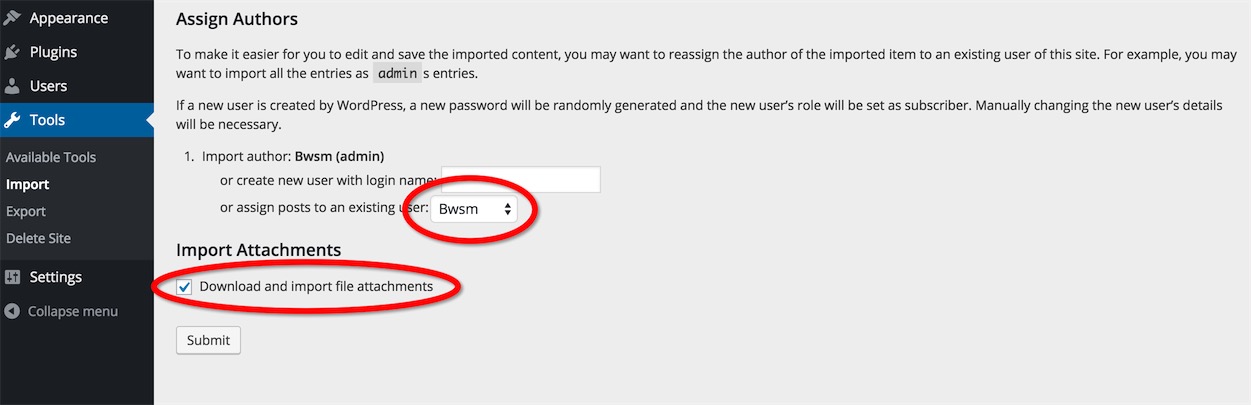
Note: Because some site host PHP setting is not high enough. The images downloading will take long time, it would be always timeout. So you may have to repeat the Import step until all demo content import.
Make sure to activate the BM pagebuilder and BM slider plugins.
.

 WordPress Customization Service from
