Hi,
1.
Set the className and data-col value into <div class="container-masonry ... "> wrap:
Normal spacing: ux-portfolio-spacing-40 / data-spacer=”40″
Narrow spacing: ux-portfolio-spacing-10 / data-spacer=”10″
No-spacing: ux-portfolio-spacing-none / data-spacer=”0″
Read more on Documention / Portfolio Listing : Items Spacing
2. For “Masonry Grid”, the grid height is not be set by CSS. It is calculated by JS.
You can set 4 kinds of grids by className for each grid (Like: <section class="grid-item grid-item-small ..."> :
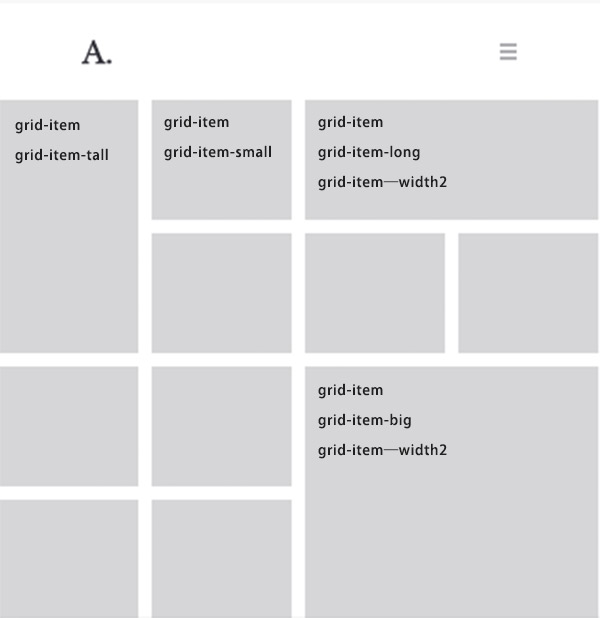
Read more on Documention / Portfolio Listing : Masonry Grid
Regards!
Bwsm – uiueux.com – Twitter – Facebook
.


 WordPress Customization Service from
