
Home › Forums › Air WordPress Theme › is there some script on the Air theme that is clashing ?
- This topic has 9 replies, 2 voices, and was last updated 5 years, 12 months ago by
SeaTheme.
-
AuthorPosts
-
June 1, 2020 at 12:55 pm #21477
I have recently changed over my template on wordpress for the site http://www.barganews.com.
I am extremely pleased with the Air template and all is working as it should apart from one thing – another site on my server – https://www.barganews.com/moorings/ it now longer visible.The permissions are- rwxr-xr-x 755 but for some reason it can no longer be accessed
Any idea why it can not be read ? .. is there some script on the new theme that is clashing with that folder?
thanks
ciao
keane
http://www.barganews.comJune 2, 2020 at 2:32 am #21482Hi,
It is not caused by the theme. There is no script to cause permissions issue in the theme.
Did you mean that they( https://www.barganews.com/and https://www.barganews.com/moorings/) are on 2 host servers? Maybe you should use second-level domain name (like: https://moorings.barganews.com/ ).Regards!
SeaTheme – SeaTheme.net – Twitter – Facebook
June 2, 2020 at 1:02 pm #21491the first two links below work perfectly
https://www.barganews.com/love/
https://www.barganews.com/barga-genealogy/this one which is just like the other two but refuses to view and does not give a 404 error message either
https://www.barganews.com/moorings/
ciao
keane
June 3, 2020 at 4:05 am #21497Please check if there is the “moorings” slug name was occupied in https://www.barganews.com , like tag, category, post title.
Best
June 3, 2020 at 2:18 pm #21506there were 20 odd articles with moorings in the title – i have altered all titles to now read “VillaMoorings”
there were 20 odd articles with tags – I have removed all tags
there is no Category named mooringsthanks
ciao
keaneJune 3, 2020 at 3:43 pm #21508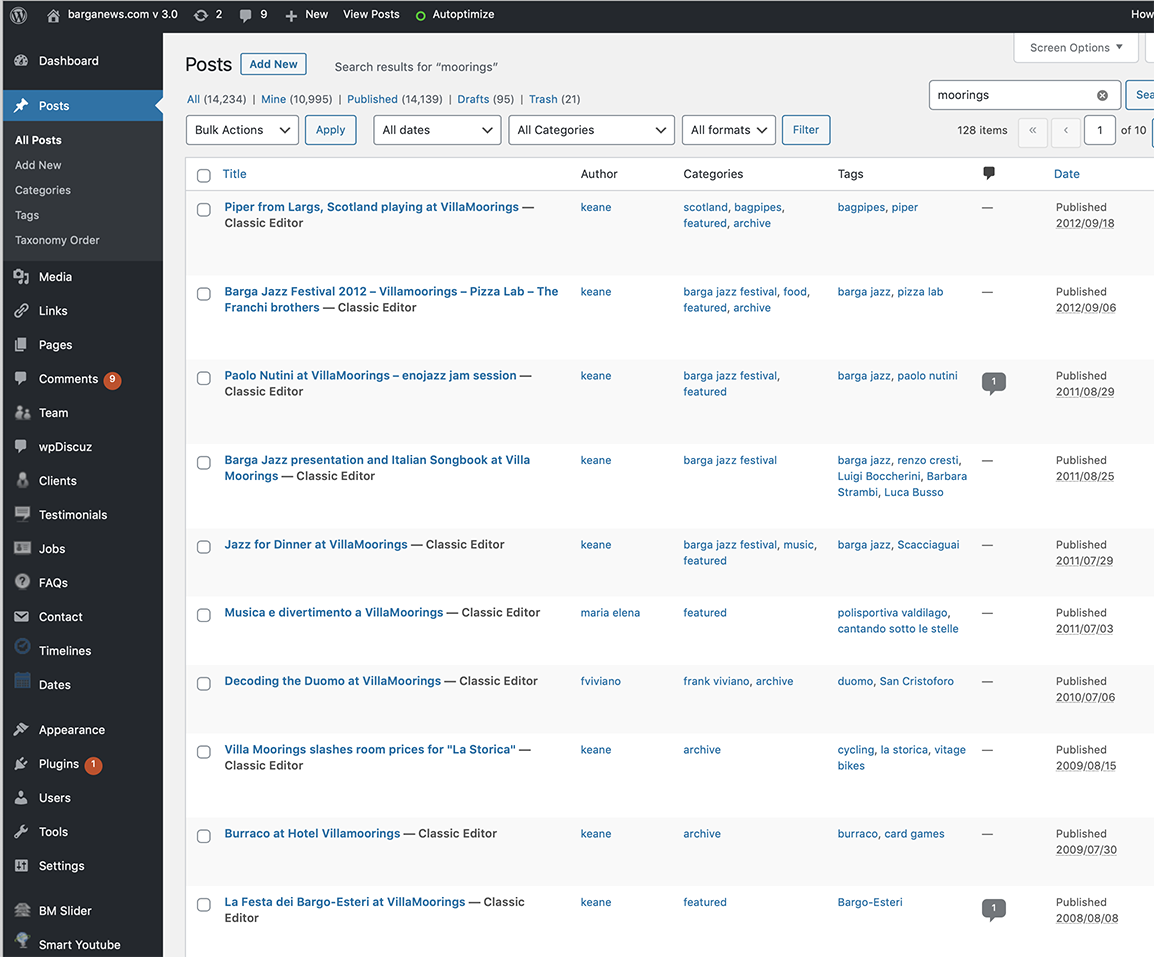
there were 20 odd articles with moorings in the title – i have altered all titles to now read “VillaMoorings”
but when i put “moorings” into search they all appear even though i have changed the title
ciao
keaneJune 4, 2020 at 2:35 am #21511Please try to flush the permalink to check if fixed:
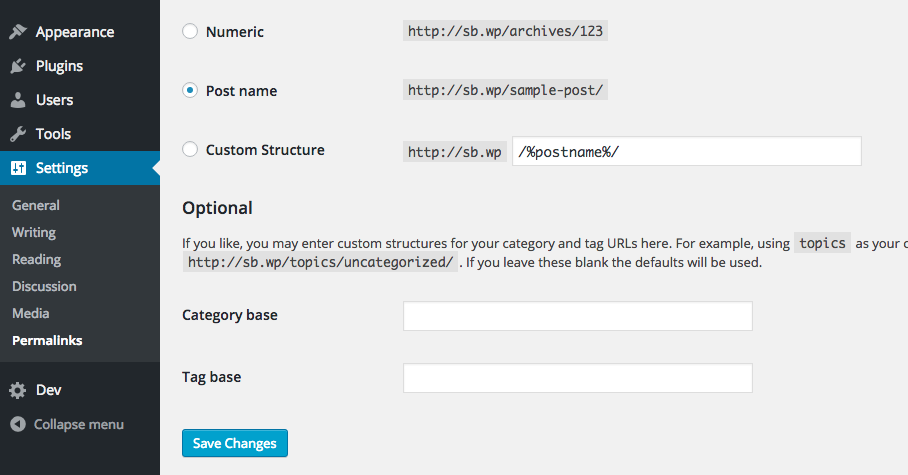
Step 1: In the main menu find “Settings > Permalinks”.
Step 2: Scroll down if needed and click “Save Changes”.
Step 3: Rewrite rules and permalinks are flushed.
Screenshot: https://typerocket.com/wp-content/uploads/2015/08/save-permalinks.png
https://typerocket.com/flushing-permalinks-in-wordpress/June 4, 2020 at 3:57 am #21515Please try to flush the permalink to check if fixed:
yes done that — nothing has changed 🙁
ciao
keaneJune 4, 2020 at 10:35 am #21516I have now downloaded the moorings folder and then re uploaded – no change
I have also temporarliy renamed it xmoorings – no change
I have a small problem now as the moorings is a hotel in my city and is one of my sponsors — they are being very patient as their site has been off line since i changed over the template on the main barganews site but that patience will not last long.
If I cannot find an answer to this problem fairly quickly then I will have to return to the old template and no longer use the AIR template.
June 5, 2020 at 3:13 am #21520Hi,
It is not a theme issue. But I am trying to help you find the reason.
I think it is mostly caused by the Rewrite rule, I dug some posts about it:
https://stackoverflow.com/questions/31943145/cant-access-wordpress-site-in-subfolder
https://stackoverflow.com/questions/4287129/cant-access-my-folder-because-of-wordpress
https://stackoverflow.com/questions/48809023/unable-to-upgrade-zencart-because-wordpress-is-not-allowing-to-access-subfolderps: Do you set the WordPress MultiSite or different WordPress website?
——————————–
If it doesn’t work, please send host FTP and wp-admin(URL / username/password) to uiueux@gmail.com , paste your question(this topic URL) also , I’ll log in to check it.Best
-
AuthorPosts

 WordPress Customization Service from
- You must be logged in to reply to this topic.