
Home › Forums › Arnold WordPress Theme › thin line when mouse hover
- This topic has 7 replies, 2 voices, and was last updated 4 years, 10 months ago by
SeaTheme.
Viewing 8 posts - 1 through 8 (of 8 total)
-
AuthorPosts
-
October 20, 2021 at 9:28 am #25998
Hi there.
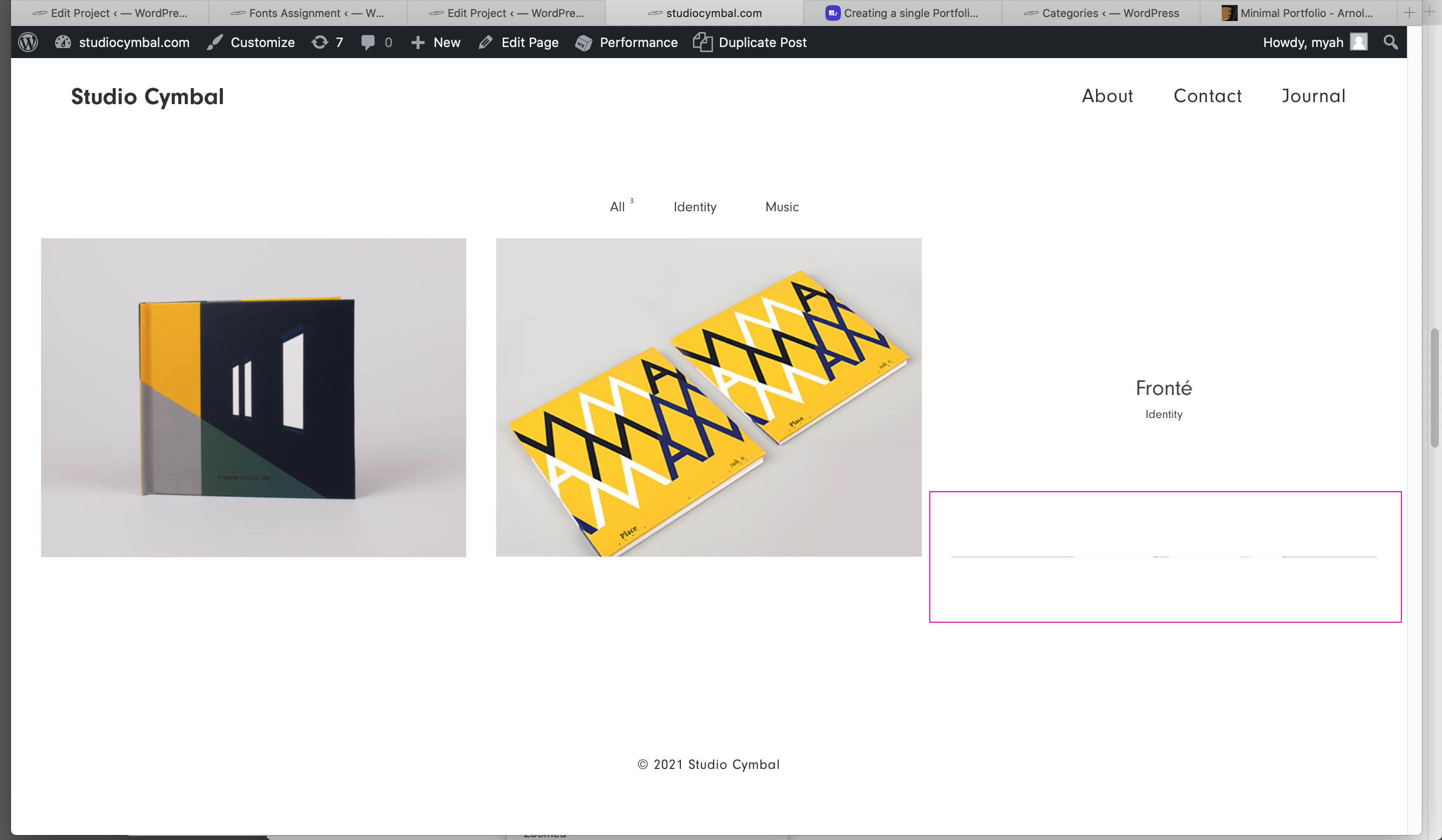
I was wondering if you can help me how to remove this thin line when I hover the mouse on images.
http://www.studiocymbal.com/line.jpg
I have marked with pink. It happens to some thumbnails, not all, but consistently. I have checked second featured images but there weren’t any second images set for all three.
Let me know.
October 20, 2021 at 2:00 pm #25999October 20, 2021 at 2:34 pm #26000Hi.
http://www.studiocymbal.comThanks
MyahOctober 21, 2021 at 2:01 am #26002Thanks!
Please paste the custom CSS code to “Appearance > Customize: Additional CSS”:
.grid-item .grid-item-img {
    position: absolute;
    left: 1px;
    right: 1px;
    top: 1px;
    bottom: 1px;
    width: calc(100% - 2px);
    height: calc(100% - 2px);
}
.grid-item .ux-lazyload-wrap {
    margin: 0.5px;
    overflow: hidden;
}
If it doesn’t work, please reply and I will check again.( please don’t remove the CSS codes)
November 25, 2021 at 10:42 am #26209hello. your code worked for a bit and now it stopped working. Can you help again please?
November 25, 2021 at 12:03 pm #26210November 25, 2021 at 3:13 pm #26215This reply has been marked as private.November 26, 2021 at 2:08 am #26216 -
AuthorPosts

 WordPress Customization Service from
Viewing 8 posts - 1 through 8 (of 8 total)
- You must be logged in to reply to this topic.